Why You Need a File Upload Feature for Your WooCommerce Store
Read Time:4 Minute, 52 Second
Dealing with your customers’ custom orders can be pretty hectic when running an online store! I can relate since I’m speaking from experience myself. Whenever customers would email you their files filled with recommendations on the products customization, opening your email itself would seem like a daunting task, let alone going through them.
That happens because some forget, some send low-quality images, and others send completely unusable file formats. That’s when I realized I needed a better way to handle this process. I needed a solution that made customers upload their files before checkout, so I wouldn’t have to follow up with them later. That’s when I came across file upload WooCommerce, and honestly, it changed everything.
What Made Me Add File Upload to My WooCommerce Store?
I won’t go into greater detail, however, I run a store myself and it includes all kinds of products, many of which are customizable. I get a lot of orders, but it is necessary that they send my designs first.
At first, I thought asking them to email their files after checkout would be simple and efficient. But the reality was different.
- Some customers never sent their files, leaving me stuck and waiting.
- Others sent low-quality, blurry images that I couldn’t use.
- Many took days to send their designs, slowing down my entire workflow.
- Some even sent file types that weren’t compatible with my design software.
At one point, I realized I was spending more time emailing customers than actually fulfilling orders. That’s when I decided to integrate the WooCommerce upload file into my store.
What’s So Great About File Upload for WooCommerce?
No More Chasing Customers for Files
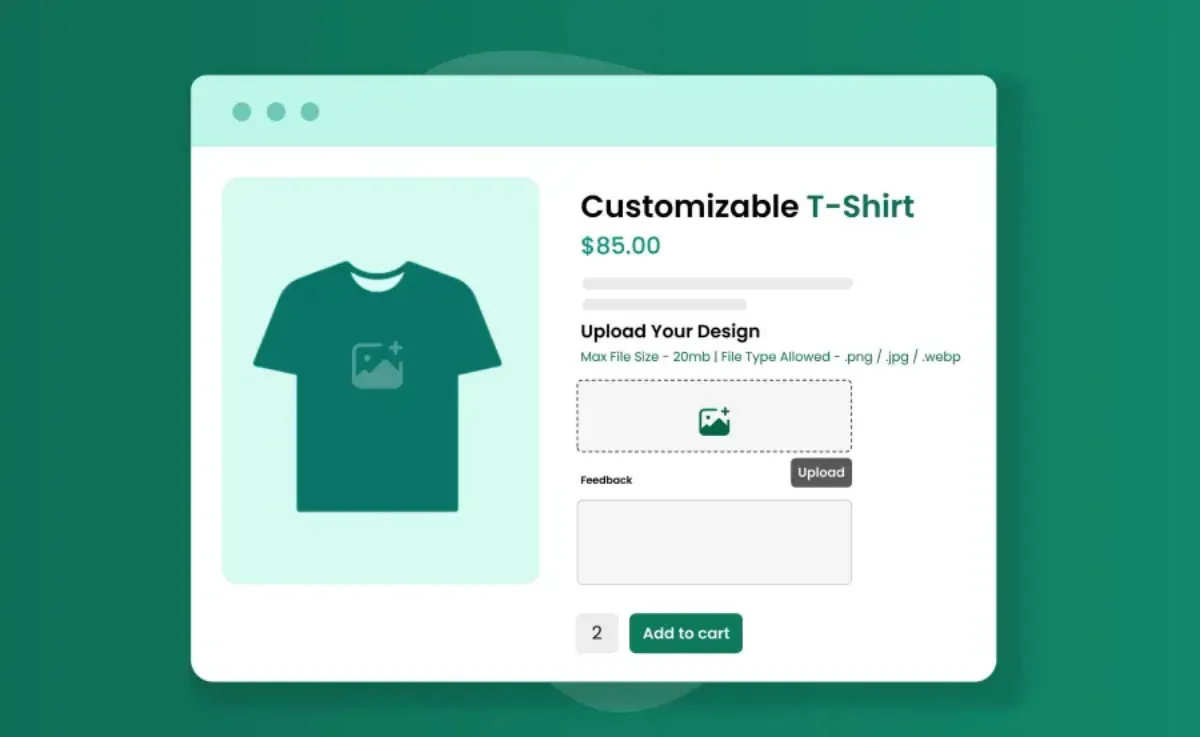
One of the biggest problems I had was constantly following up with customers to send their files. Now, with the file upload feature, customers must upload their files before they can complete their purchase.
- No file, no checkout.
- No more waiting around for customers to email their designs.
- No more back-and-forth conversations about missing attachments.
Having everything uploaded upfront made my workflow much smoother.
Customers Upload the Right Files on the First Try
Before adding the file upload option, customers frequently uploaded incorrect or unusable files. Sometimes they sent screenshots, low-resolution images, or even unrelated files.
With the file upload feature, I was able to set restrictions:
- Remember to only allow specific file types like PNG, JPG, or PDF.
- Enable a preview option so customers could check their uploads before submitting them.
This reduced mistakes and made sure I received high-quality, ready-to-use files every time.
Orders Process Faster Without Delays
Before this feature, I would often receive orders without the necessary files, forcing me to wait until customers finally sent them. This slowed down production and led to complaints about late deliveries.
With the upload option:
- Customers provide their files upfront.
- I can start working on orders immediately.
- Finally, no annoying delays due to missing files.
The whole file submission process became so much simpler for me, not only me, but my customers were way more happier with this.
No More Sorting Through Email Attachments
Handling file uploads through email was a nightmare. Oftentimes, my customers would either use a different email address, sometimes they would forget to mention their order number, and even at times they would send me multiple files across different emails. So yeah, going through each file and finding the right one was nothing short of frustrating for me.
Now, everything is stored directly in WooCommerce:
- Each file is attached to the correct order.
- No risk of files getting lost or misplaced.
- Everything is easily accessible in one place.
This simple change made managing custom orders so much easier.
Does File Upload WooCommerce Have Any Downsides?
Even though this feature solved a lot of issues for me, there were a few things I had to tweak.
Some Customers Upload Large Files
When you don’t set a file size limit, customers often send unnecessarily large files. This takes a toll on your site speed as well. This is why it’s pretty important to set a file size limit.
- Although there are other ranges you can choose from, I added a file size limit of 10MB.
Slow Upload Speeds Can Be an Issue
Some customers experienced slow uploads, especially those with weaker internet connections.
- I added a progress bar so they could see their files being uploaded instead of wondering if the site was frozen.
Customers Want to Replace Files After Uploading
It was common for customers to upload a file, check out, and then immediately ask to change it.
- I allowed a 24-hour window where customers could upload a new file. After that, the file is locked, and the order is processed.
Is a File Upload Feature Worth It for Your WooCommerce Store?
A file upload option is a must for products that allow any sort of custom designs, I mean, it must have become a no brainer by now! However, without one, you will have to deal with the following issues:
- Constantly following up with customers for files.
- Sorting through emails to find the right attachments.
- Slower order processing times due to missing uploads.
- Receiving files in the wrong format or quality.
But with a proper upload feature, you’ll:
- Get all files upfront before checkout.
- Receive the correct file formats without confusion.
- Speed up order processing and eliminate unnecessary delays.
- Keep everything organized directly in WooCommerce.
Adding file upload WooCommerce to my store was one of the best decisions I made. It saved me a ton of time, reduced any room for errors, and also made the custom orders process a whole lot smoother. So yeah, this is something you should definitely consider if you are running a store with customizable products!

Happy
0 %

Sad
0 %

Excited
0 %

Sleepy
0 %

Angry
0 %

Surprise
0 %
 0
0
 0
0