Using AI for product photography A guide to automation and innovation
Read Time:5 Minute, 26 Second
Using AI for product photography
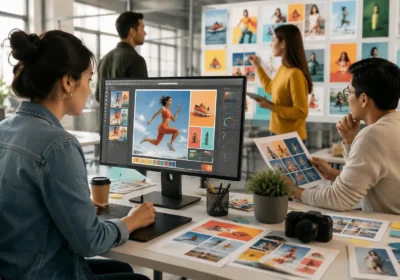
Artificial intelligence (AI) is transforming the world of product photography, making it faster, more efficient, and accessible to businesses of all sizes. From automating repetitive tasks like image retouching to enhancing creativity with advanced editing tools, AI is revolutionizing how we capture and edit product images. Whether you’re a professional photographer or an e-commerce business owner, understanding how to use AI for product photography can give you a competitive edge.
This guide explores the role of AI in product photography, focusing on how AI automates product image retouching and enhances the overall workflow.
The benefits of using AI in product photography
AI offers numerous advantages for product photography, making it an invaluable tool for businesses and photographers alike. Here are some key benefits
- Time efficiency AI automates repetitive tasks like background removal, color correction, and retouching, saving hours of manual work.
- Cost savings By reducing the need for extensive manual editing, AI lowers the overall cost of product photography.
- Consistency AI ensures that all product images have a uniform look and feel, which is essential for branding.
- Enhanced creativity AI-powered tools can suggest creative edits, generate unique effects, and even create virtual product shots.
- Accessibility AI makes professional-quality product photography accessible to businesses with limited resources or expertise.
These benefits make AI an essential tool for modern product photography.
How AI automates product image retouching
One of the most significant applications of AI in product photography is automating image retouching. Here’s how AI streamlines this process
- Background removal AI algorithms can quickly and accurately remove or replace backgrounds, saving time and effort.
- Color correction AI analyzes the image and adjusts colors to ensure they match the actual product and create a consistent look.
- Dust and scratch removal AI detects and removes imperfections like dust, scratches, or blemishes on the product or packaging.
- Shadow creation AI can add or enhance shadows to create a sense of depth and realism.
- Detail enhancement AI sharpens and enhances details like textures, patterns, or small features.
By automating these tasks, AI allows photographers and businesses to focus on creativity and strategy rather than manual editing.
Popular AI tools for product photography
There are several AI-powered tools available that can enhance your product photography workflow. Here are some of the most popular options
| Tool | Features |
|---|---|
| Adobe Photoshop (AI features) | AI-powered tools for background removal, color matching, and object selection. |
| Luminar AI | Automated editing tools for enhancing colors, textures, and lighting. |
| Remove.bg | AI-based background removal tool that works in seconds. |
| Pixelz | AI-driven platform for retouching and editing product images at scale. |
| Canva (AI features) | AI-powered design tools for creating professional product images. |
These tools can help you streamline your product photography workflow and achieve professional-quality results.
How to use AI for product photography
Integrating AI into your product photography workflow is easier than you might think. Here’s a step-by-step guide to get started
- Choose the right tools Select AI-powered tools that align with your needs, such as background removal, color correction, or detail enhancement.
- Capture your images Take high-quality photos of your products, ensuring they are well-lit and in focus.
- Upload to the AI tool Import your images into the AI-powered tool for editing and retouching.
- Automate repetitive tasks Use AI to handle tasks like background removal, color correction, and dust removal.
- Review and refine Make any necessary adjustments to ensure the final images meet your standards.
- Export and use Save the edited images and use them for your website, marketing materials, or e-commerce platform.
By following these steps, you can leverage AI to enhance your product photography workflow.
Tips for using AI in product photography
To get the most out of AI in product photography, consider these tips
- Start with high-quality images AI works best with clear, well-lit photos, so ensure your original images are of good quality.
- Experiment with different tools Try out various AI-powered tools to find the ones that work best for your needs.
- Combine AI with manual editing While AI can handle many tasks, some images may still require manual adjustments for the best results.
- Stay updated AI technology is constantly evolving, so keep an eye out for new tools and features that can enhance your workflow.
- Test and refine Experiment with different settings and techniques to find the most effective approach for your product photography.
These tips will help you make the most of AI in your product photography workflow.
Common mistakes to avoid when using AI for product photography
While AI offers many benefits, it’s important to avoid common pitfalls. Here are some mistakes to watch out for
- Over-reliance on AI While AI can automate many tasks, it’s not a substitute for human creativity and judgment.
- Ignoring quality control Always review AI-edited images to ensure they meet your standards.
- Using the wrong tools Not all AI tools are created equal, so choose ones that align with your specific needs.
- Neglecting training Some AI tools require training or customization to achieve the best results, so invest time in learning how to use them effectively.
- Over-editing Avoid excessive editing, which can make the product look unnatural and unappealing.
By avoiding these mistakes, you can ensure that AI enhances your product photography rather than detracting from it.
The future of AI in product photography
As AI technology continues to evolve, its role in product photography is expected to grow. Here are some trends to watch for
- Advanced automation AI will become even more adept at handling complex tasks like 3D rendering and virtual product shots.
- Personalization AI will enable businesses to create personalized product images tailored to individual customer preferences.
- Real-time editing AI-powered tools will allow for real-time editing and adjustments during photoshoots.
- Integration with other technologies AI will increasingly be integrated with other technologies like AR and VR to create immersive product experiences.
By staying ahead of these trends, you can leverage AI to keep your product photography innovative and competitive.
AI is revolutionizing product photography, making it faster, more efficient, and accessible to businesses of all sizes. By understanding how to use AI for product photography and automating tasks like image retouching, you can enhance your workflow, reduce costs, and create stunning product images that attract customers and drive sales. Whether you’re a photographer, designer, or brand owner, this guide provides the knowledge and tools you need to harness the power of AI in product photography.

Happy
0 %

Sad
0 %

Excited
0 %

Sleepy
0 %

Angry
0 %

Surprise
0 %
 0
0
 0
0