Where Is the Link in the Bio on Instagram? Find, Use, and Optimize
Read Time:8 Minute, 32 Second
If you’ve ever seen a post on Instagram that says, “link in bio,” and wondered what it means or where exactly that link is, you’re not alone. The phrase “link in bio” has become one of the platform’s most common calls to action. It plays a vital role for influencers, brands, content creators, and marketers who want to drive traffic outside of Instagram since the platform doesn’t allow clickable links directly in captions.
This guide explains exactly where the link in the Instagram bio is located, how to find it, and why it’s essential for personal and business accounts. Whether you’re a casual user or growing a brand, understanding how this single clickable URL works can change your Instagram strategy entirely. This article will walk you through every important detail, from optimizing the link for maximum conversions to using third-party tools for multiple links.
So let’s dive into the specifics and answer the popular question: Where is the link in the bio on Instagram?
Where is the link in the bio on Instagram?
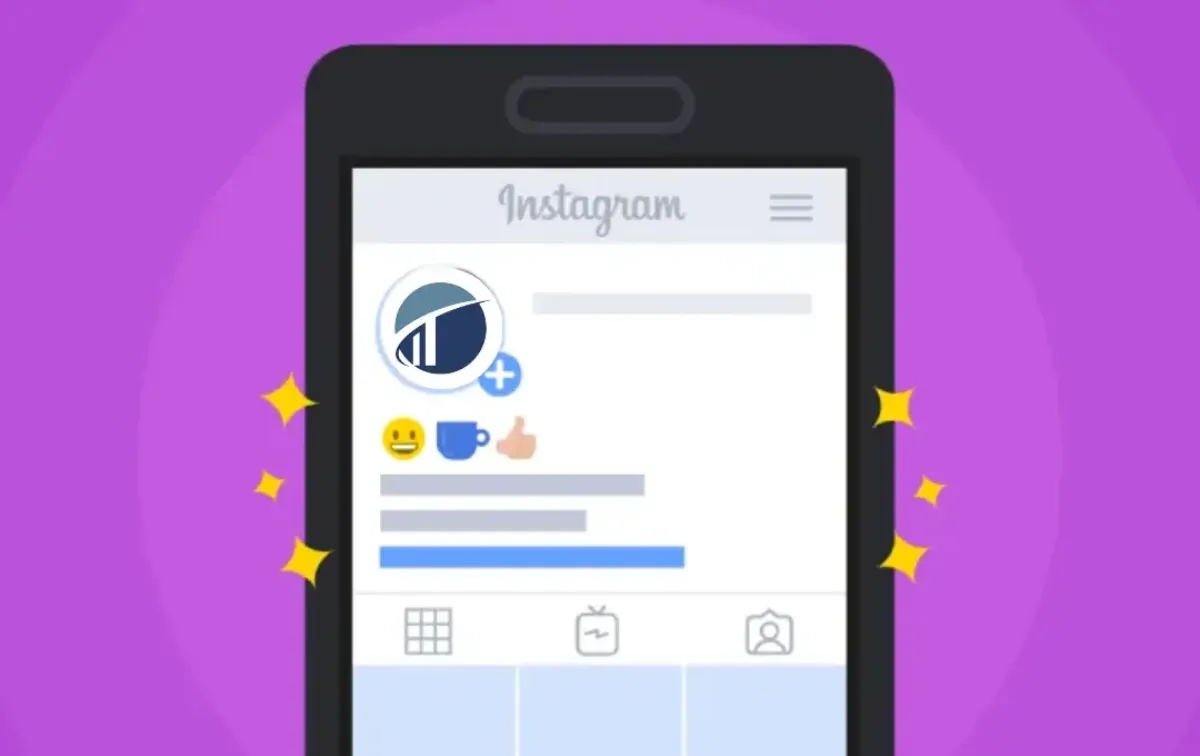
The link in the bio on Instagram is located directly under the profile picture and description (bio) of an Instagram account. It’s the only clickable link Instagram allows, and users often direct followers to this link to visit websites, products, or external content.
What Does “Link in Bio” Mean on Instagram and Why It Matters
The phrase “link in bio” refers to the single clickable URL users can place in their Instagram profile, directly beneath their username and bio section. Because Instagram restricts clickable links in captions, comments, or image posts, this bio link becomes the main route for sending followers to external websites—a blog, YouTube channel, online store, or signup page.
For influencers and businesses, this single link is an essential marketing tool. Instead of updating the link repeatedly, many use services like Linktree, Beacons, or Campsite. These tools allow users to house multiple links under one URL, making it easier to guide followers to various destinations easier through one convenient access point.
This feature is incredibly valuable. Brands use it to drive traffic to campaigns or product pages, creators use it to showcase new content, and everyday users share their favorite resources. For example, someone promoting a Devil Bio for Instagram collection can use their bio link to direct followers to a complete list of edgy or themed bios.
Although newer Instagram features like Story links are available to specific accounts, the bio link remains the most consistent and accessible way to drive external engagement. Understanding where the link in the bio on Instagram is—and how to use it strategically—can significantly enhance your reach and marketing success on the platform.
How to Find and Use the Link in the Bio on Instagram
Using the bio link on Instagram effectively can drive significant traffic to your website or content. Though it may seem simple, this minor feature holds powerful potential when optimized correctly.
Location of the Instagram Bio Link
The bio link on Instagram is located just beneath the profile picture, username, and short description section. It is the only place on a user’s profile where a clickable hyperlink is allowed. Unlike post captions or comments, which do not support active links, this designated space drives traffic to external content, such as websites, stores, or videos.
Steps to Add or Modify the Bio Link
To include a bio link, users must access their Instagram profile and tap “Edit Profile.” Within the editing options, there’s a field labeled “Website.” Here, you can enter the desired URL. Once saved, this link will appear publicly on your profile and can be updated based on your current content or promotions.
Platform Design Behind a Single Bio Link
Instagram’s decision to restrict clickable links to the bio section helps reduce spam and clutter on the platform. This streamlined approach enhances the user experience and encourages more thoughtful use of the single link slot, often resulting in more strategic engagement.
Strategic Uses for Business and Content Promotion
Businesses and content creators maximize the value of this limited space by using services like Linktree or Beacons. These tools allow users to host multiple links under one bio URL. Tracking tools like Bitly or UTM codes help monitor click performance and optimize marketing strategies.
Best Tools to Manage Multiple Bio Links
While Instagram limits users to just one clickable link in the bio, several third-party tools have emerged to expand what that single link can do. These tools act as mini landing pages, letting users consolidate multiple URLs into one easy-to-navigate interface. Whether you’re a content creator, small business, or influencer, these platforms help you direct followers to various destinations without constantly updating your bio link.
Here are some of the best tools to manage and maximize your Instagram bio link:
- Linktree: One of the most popular options, Linktree, allows you to create a simple, mobile-friendly landing page with multiple clickable buttons. It’s quick to set up and great for anyone sharing several resources simultaneously.
- Linkin.bio by Later: Ideal for brands and creators, this tool replicates your Instagram feed with each post linked to a unique URL. It’s perfect for e-commerce or content-heavy profiles.
- Campsite: Offers more customization than Linktree, including advanced styling, analytics, and integration options, giving your bio link a more branded look.
- Beacons: Tailored for creators and influencers, Beacons enables monetization through digital products, affiliate links, and social integrations.
- Milkshake: A mobile-first tool that turns your link into a scrollable, mini website—great for personal brands and portfolios.
Why the Bio Link is Crucial for Influencers and Brands
For influencers and brands, the Instagram bio link acts as a vital bridge to external content. Since clickable links aren’t allowed in captions or comments, this single link becomes a prime piece of digital real estate. It’s where audiences are directed to take action—watching a video, reading a blog, or shopping for a product.
Influencers typically use this space to share YouTube uploads, affiliate products, merch stores, or email newsletter signups. On the other hand, brands often point the link toward limited-time campaigns, seasonal launches, or homepage offers. Strategic tools like Linktree or custom landing pages allow them to rotate links frequently and match them with their latest post themes.
Even sponsored content relies heavily on this single link. A typical promotional post might include the phrase, “Check the link in my bio for more details,” offering a seamless path from post to purchase or sign-up. For example, an influencer partnering with a lifestyle brand or showcasing a feature on Celeb Digs can use the bio link to lead followers directly to that content.
Its placement at the top of the profile ensures maximum visibility, making it perfect for first impressions and conversions. Ultimately, the Instagram bio link functions as both a marketing tool and a portal to the broader web, unlocking powerful opportunities beyond the app.
Common Mistakes to Avoid with Instagram Bio Links
Even though the Instagram bio link is a powerful tool for driving traffic and engagement, many users fail to utilize it effectively. Avoiding these common mistakes can help ensure your link delivers value and aligns with your content strategy.
- Using Broken or Outdated Links: One of the most critical errors is leaving a broken or expired link in your bio. This creates a poor user experience and can lead to missed opportunities. Always test your links after updating them to ensure they’re working correctly.
- Forgetting to Update the Link: Many users forget to update their bio link to match new content, product launches, or campaigns. Keeping your link current ensures followers are always directed to your most relevant and timely material.
- Not Using UTM Parameters: Without UTM parameters or link tracking tools like Bitly, measuring how much traffic your Instagram bio generates is difficult. UTM codes help track performance and identify which campaigns or posts drive engagement most.
- Overwhelming Followers with Too Many Choices: Tools like Linktree are helpful, but overloading your landing page with dozens of options can confuse users. Prioritize only the most critical links to avoid decision fatigue.
- Skipping Clear Call-to-Actions (CTAs): Always pair your posts with a strong CTA, such as “Click the link in my bio.” Direct instructions encourage users to take the next step and significantly boost click-through rates.
In Summery
Knowing where the link in the bio on Instagram is located is just the beginning—using it effectively is what truly sets successful profiles apart. This single clickable link is a powerful tool that connects your Instagram presence to the broader web. Whether you’re promoting products, sharing content, or driving traffic to a website, the bio link helps convert followers into active users. With smart CTAs, tracking tools, and link-in-bio platforms, even one link can deliver big results. It’s not just about placement—it’s about purpose. So the next time someone asks, “Where is the link in the bio on Instagram?” you’ll have the answer—and the strategy to back it up.
FAQ’s
Where exactly is the Instagram bio link located?
The bio link appears directly beneath your Instagram profile picture and bio description. It’s the only place users can add a clickable URL to their profile.
Can I add multiple links to my Instagram bio?
Instagram only allows one link in the bio, but third-party tools like Linktree, Beacons, or Campsite let you display multiple links through a single clickable page.
Is the Instagram bio link clickable on desktop and mobile?
Yes, the bio link is fully clickable on both desktop and mobile devices, making it accessible to all users regardless of their platform of browsing.
How often should I update my Instagram bio link?
You should update your bio link whenever you launch new content, run a promotion, or shift campaign goals to keep followers directed to your most relevant destination.
Can I track the performance of my Instagram bio link?
Absolutely. You can use tools like Bitly and Rebrandly or add UTM parameters to your URL to track traffic sources, click rates, and user engagement from your Instagram profile.

Happy
0 %

Sad
0 %

Excited
0 %

Sleepy
0 %

Angry
0 %

Surprise
0 %
 0
0
 0
0