
What Happens If a Biometric Scanner Fails to Recognize You?
Read Time:5 Minute, 13 Second
Biometric scanners are everywhere. From unlocking phones to accessing offices, these systems make security easier and faster. But what happens when they don’t work? If you’ve ever experienced facial recognition failure or had a fingerprint scanner reject you, you know how frustrating it can be.
Why Does a Biometric Scanner Fail?
Biometric scanners rely on unique physical features—fingerprints, facial structure, or even the way you walk. But sometimes, these systems don’t work as expected. Here’s why:
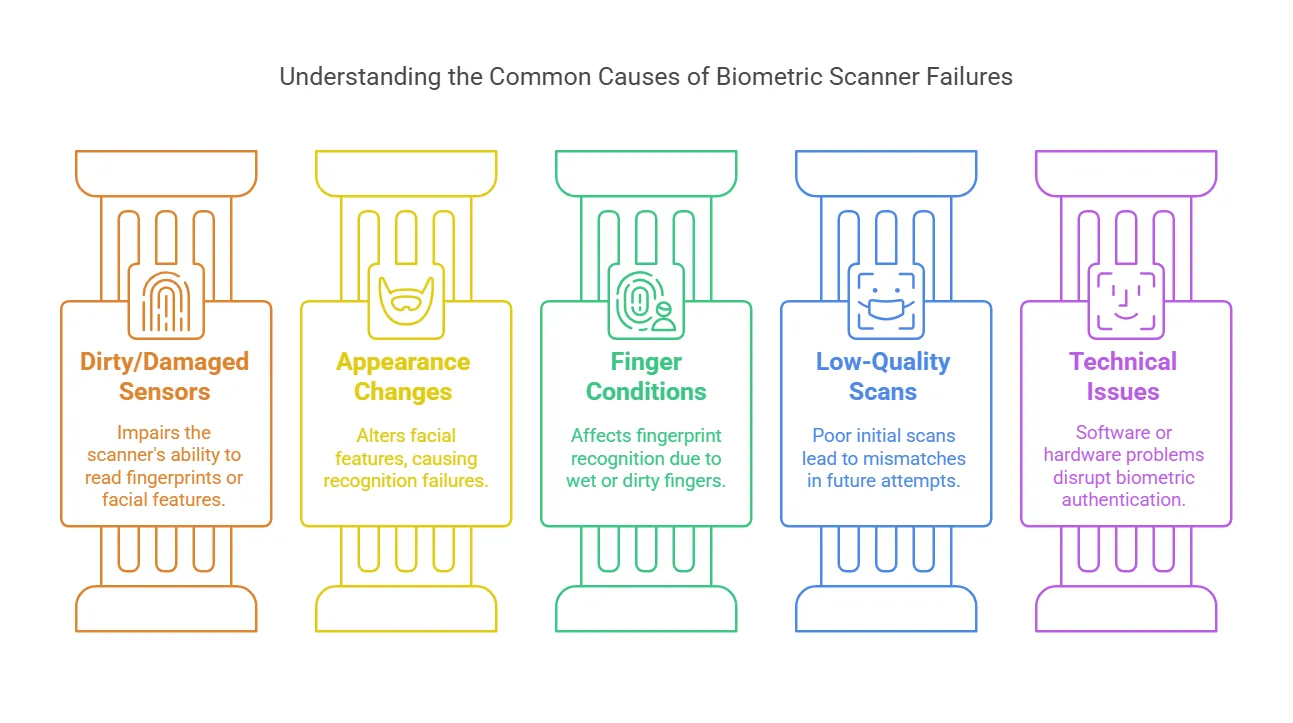
1. Dirty or Damaged Sensors
Smudges, dust, or scratches on a scanner can make it hard to read fingerprints or facial features. This is common with fingerprint sensors on phones or office entry systems.
2. Changes in Appearance
A new haircut, a beard, or even makeup can cause facial recognition failure. If you’re using a face scanner to unlock a device or enter a building, changes in your look can cause problems.
3. Wet or Dirty Fingers
Fingerprint scanners struggle with wet, sweaty, or dirty fingers. If you’ve just washed your hands or they’re too dry, the scanner may fail to recognize you.
4. Low-Quality Scans
Some systems don’t get a good first scan when you enroll. If the stored fingerprint or face image isn’t clear, future scans might not match.
5. Poor Lighting
Facial recognition scanners need good lighting. If you’re trying to unlock your phone in the dark or standing in a shadow, the scanner may not detect your features correctly.
6. Aging and Skin Changes
As we age, our fingerprints and facial features can change slightly. Even scars, cuts, or dry skin can make it hard for biometric scanners to match stored data.
7. Technical Issues
Like any technology, biometric authentication errors can occur due to software bugs or hardware failures. A system update, power outage, or a glitch in the scanner itself can prevent recognition.
What Happens When Recognition Fails?
When a biometric scanner doesn’t recognize you, the next steps depend on the system you’re using.
For Phones and Personal Devices
Most phones let you use a PIN, pattern, or password as a backup. If your face or fingerprint isn’t recognized, you can still access your device manually. A survey found that 72% of consumers worldwide prefer face verification for secure online services.
For Office and Workplace Entry
Many offices have backup authentication methods, like keycards, security codes, or manual verification by a security guard. If the biometric scanner fails, you may need to enter a passcode or ask for assistance.
For Bank and Financial Transactions
If a banking app or ATM doesn’t recognize your fingerprint or face, it will usually ask for a PIN or password. Some banks may require extra verification, like a one-time password (OTP) sent to your phone.
For Airport Security and Immigration
Automated border control systems rely heavily on biometrics. If a scanner fails to recognize you at an airport, an officer will typically verify your identity manually using your passport or other identification.
For High-Security Areas
In places with strict security, multiple verification steps are common. If a biometric scan fails, security personnel may check an alternate biometric method (like retina or fingerprint scanning) or require additional proof of identity.
What Can You Do If a Scanner Keeps Failing?
If you run into repeated biometric authentication errors, here’s what you can try:
1. Clean the Scanner
For fingerprint sensors, wiping the scanner with a clean cloth can improve accuracy. If it’s a facial scanner, make sure your camera lens isn’t dirty.
2. Adjust Your Position
When using facial recognition, try holding your device at eye level or standing in better lighting. If a fingerprint scanner fails, try pressing your finger more firmly or adjusting its position.
3. Enroll Again
If failures keep happening, re-register your fingerprint or face in the system. Make sure to scan from different angles to improve accuracy.
4. Use an Alternative Login Method
Most systems allow a secondary login option like a password or PIN. If biometrics keep failing, switch to a backup method.
5. Update Software
If your phone or biometric system has a pending update, installing it might fix recognition issues. Updates often improve scanner accuracy and fix bugs.
6. Check for Physical Changes
If cuts, scars, or other changes affect your fingerprints, try enrolling another finger. If a facial scanner struggles, update your stored image.
Is Biometric Authentication Reliable?
Biometric scanners work well most of the time, but they aren’t perfect. Factors like lighting, physical changes, or technical issues can cause failures. That’s why most systems include backup authentication methods. Biometric access control is widely used, but it still requires secondary security measures to prevent lockouts.
The Future of Biometric Security
As biometric authentication becomes more common, companies are working to improve accuracy and reliability. While facial recognition failure and biometric authentication errors still happen, advancements in AI and machine learning are helping reduce mistakes.
One major focus is reducing bias in recognition systems. Studies have shown that certain demographic groups experience higher failure rates. Companies developing biometric security are now using larger and more diverse datasets to train their systems, making them more accurate for all users.
Multi-modal biometrics is another trend that improves security and reduces failure rates. Instead of relying on just one biometric method, systems are combining fingerprints, facial recognition, and voice authentication. This way, if one method fails, another can still verify your identity.
Security concerns are also driving improvements. As biometric data is unique and cannot be changed like a password, companies are investing in stronger encryption and decentralized storage methods. Some are exploring on-device processing, ensuring that biometric data never leaves the user’s phone or computer.
While biometrics are not perfect, ongoing advancements are making them more reliable. As companies continue to refine these technologies, failures will become less frequent, making biometric access control more seamless and secure.
Conclusion
If a biometric scanner fails, it’s usually due to dirt, lighting, physical changes, or technical glitches. Fortunately, most systems have backup options like passwords or manual verification, so you won’t be locked out completely. Keeping scanners clean and updating your biometric data can reduce failures.

Happy
100 %

Sad
0 %

Excited
0 %

Sleepy
0 %

Angry
0 %

Surprise
0 %
 1
1
 0
0